

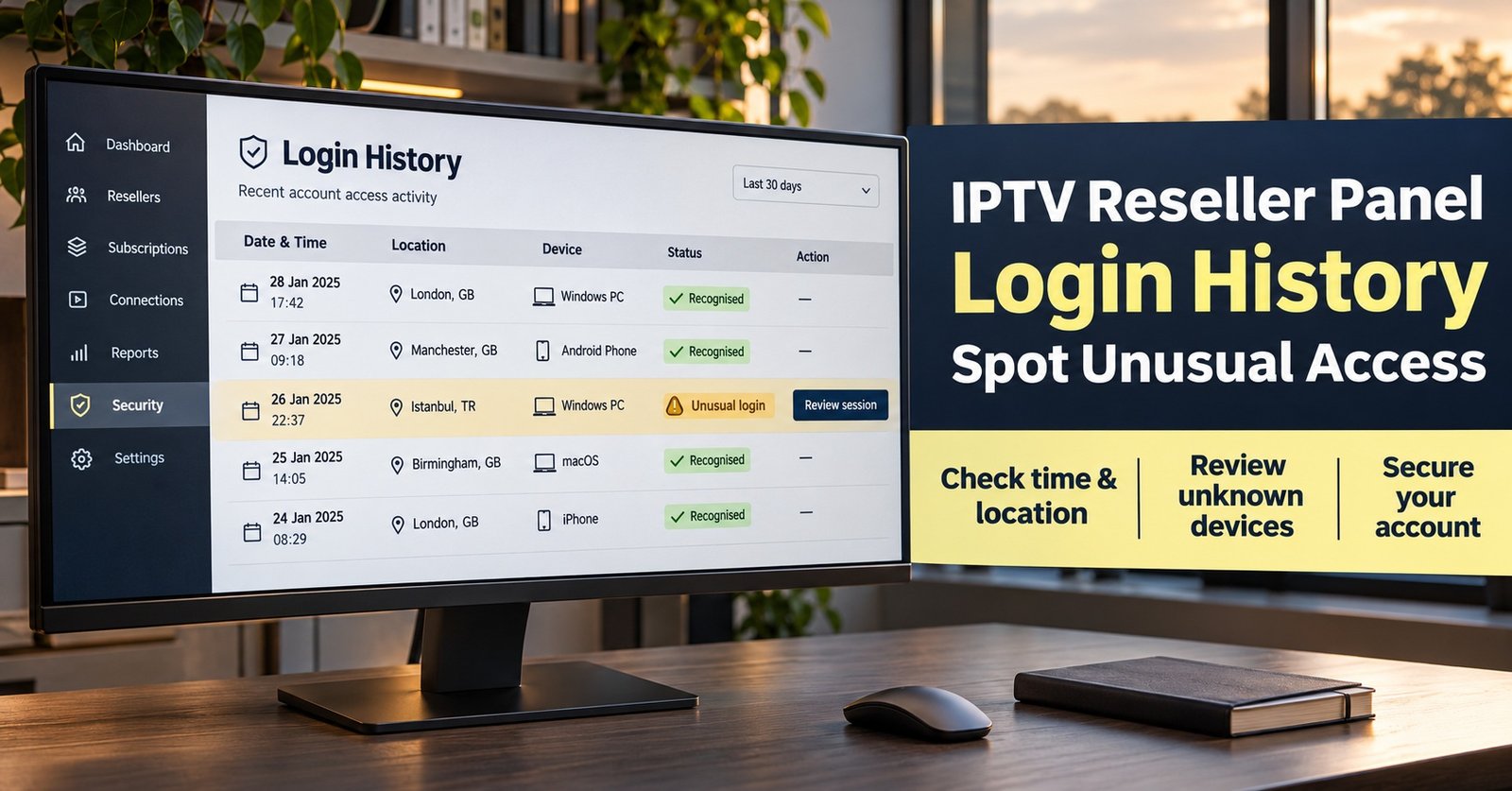
IPTV Reseller Panel Login History: Spot Unusual Access 2026

IPTV Reseller Panel Login History tells you who signed into your dashboard, when, and from which IP address, and the fastest way to spot unusual access is to compare each entry against the places and devices you genuinely use. A sign-in from your home broadband on a Tuesday evening is ordinary. A successful login at four in the morning from an address you’ve never seen, followed by new trial lines or credits moving to a sub-reseller, is not. If you find something like that, change the panel password from a trusted device, end every active session, and only then start piecing together what happened.
Most resellers don’t open this screen until a credit balance looks lighter than expected or a customer line appears that nobody remembers creating. At that point the history stops being an early warning and becomes evidence, so the useful skill is reading it accurately: separating a mobile network’s shifting IP addresses from a genuine intruder, and knowing which entries belong to your own staff. Get that distinction right and most alarms turn out to be harmless within minutes, while the real ones stand out clearly.
[ez-toc]
Who Should Be Checking This Screen, and How Often
The account owner is the obvious reader, but anyone who has handed staff their own logins should treat the history as part of routine housekeeping. If you run a sub-reseller arrangement, your parent account may see activity you can’t, so it’s worth asking what they can view on your behalf.
A sensible rhythm is a quick weekly look, plus an immediate check after three specific events: a staff member leaving or changing role, any unexplained credit movement, and any password reset you didn’t request. Separate logins for each person make this far easier, which is why setting up IPTV reseller panel user roles for staff properly pays off long before anything goes wrong. When three people share one username, the history can tell you that someone logged in but never who.
Be realistic about what your dashboard offers. Some panels keep a detailed log with IP, browser and outcome for every attempt. Others show only a “last login” line on the profile page. If yours is the second type, ask your IPTV provider whether a fuller record exists on their side and how long it’s kept, because that answer shapes how quickly you need to act when something looks off.
What a Single Entry Actually Tells You
A typical login record contains a handful of fields, and each one has its own reliability.
The timestamp is usually the most trustworthy element, but check which time zone it uses. Many panels record server time, often UTC, so a login that looks like 3am may have been 4am in the UK during British Summer Time.
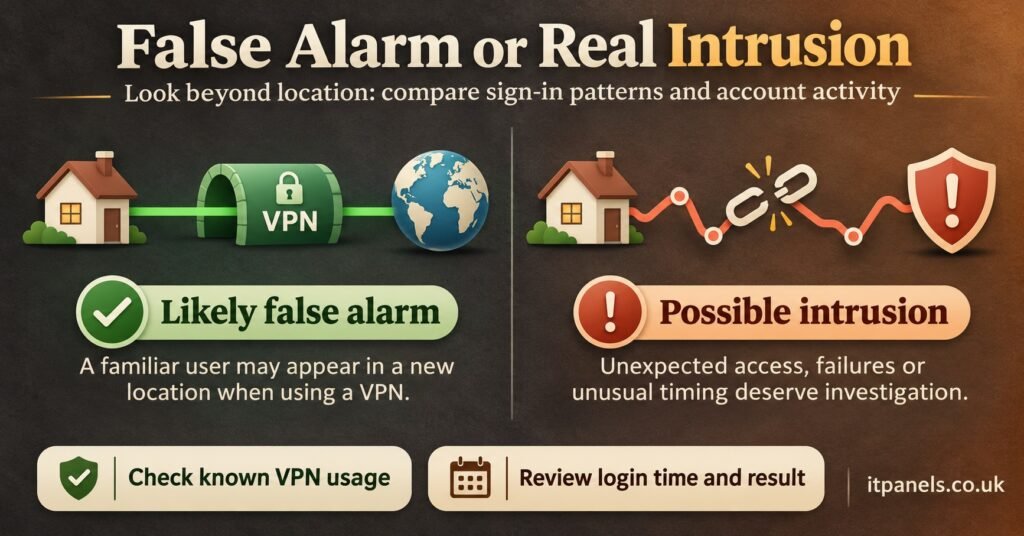
The IP address is factual, but the location attached to it is an estimate. Geolocation databases map address blocks to regions, and mobile carriers or VPN services can make a London user appear to be in Manchester, Amsterdam or somewhere further afield.
The device or browser string describes the software that connected, such as a desktop browser on Windows or a mobile browser on a phone. It changes when a browser updates, so a slightly different string isn’t alarming by itself. A completely different operating system you don’t use is a stronger signal.
The outcome, success or failure, matters more than people expect. A run of failures followed by a success from the same address is a very different pattern from a single clean login.

Working Through an IPTV Reseller Panel Login History Example
The example below is hypothetical and uses IP addresses from ranges reserved for documentation, so none of them point to a real connection. Imagine a reseller who works from home on a fixed broadband line and occasionally checks the panel on their phone.
- Monday 19:42, 198.51.100.24, desktop browser on Windows, success
- Tuesday 08:15, 198.51.100.24, desktop browser on Windows, success
- Wednesday 03:58, 203.0.113.77, browser on Linux, failed (three attempts)
- Wednesday 04:01, 203.0.113.77, browser on Linux, success
- Wednesday 04:09, 192.0.2.140, mobile browser, success
Monday and Tuesday are clearly the owner. Wednesday is where the story changes, and the following sequence keeps the investigation orderly.
Isolate the entries that break the pattern
The 03:58 cluster breaks three habits at once: an unfamiliar address, an operating system the owner doesn’t use, and an hour when they’re normally asleep. Any one of these could be innocent. All three together, plus failed attempts before success, suggest someone guessing or testing a leaked password.
Check what happened after each suspicious login
A login alone does no damage. What matters is the activity that followed. Open the panel’s activity or transaction log and look at the window between 04:01 and the present: new customer lines, extended expiry dates, credits transferred, changes to the account email or password. A well-kept IPTV reseller panel audit trail makes this step quick, because it records who changed what and the values before and after.
Rule out your own explanations
Before treating it as an intrusion, ask whether anyone with legitimate access could account for it. Did a staff member work a night shift? Was a VPN switched on? Did someone test the panel from a new laptop? In this example, the 04:09 mobile entry deserves the same question. If the owner was asleep and no staff phone was involved, it’s likely a second session opened by the same intruder from a different network.
Contain first, investigate second
Once you can’t explain an entry, stop analysing and secure the account. The next section covers the order, because doing it wrongly can leave the intruder connected while you’re locked out.
Revoking Sessions Without Locking Yourself Out
Start by confirming the recovery email on the account is still yours. An intruder who has changed it can undo your password reset within minutes, so if it has been altered, contact your provider before anything else.
Next, change the password from a device you trust, ideally on a network you’ve used before. Pick something long and unique that isn’t shared with any other service.
Then end existing sessions. Some dashboards offer a “log out of all devices” option; others leave this to the provider. Don’t assume a password change does it automatically. On some systems, a session already open remains valid until it expires, which is why you should return to the login history afterwards and confirm that no fresh activity appears from the suspicious addresses.
If your panel supports two-factor authentication, switch it on now. If you use an API key or an integration that connects to the panel, rotate those credentials as well, since they bypass the login screen entirely.
Pro tip: Take a screenshot or export of the login history before you change anything. Some panels keep only a limited window of entries, and your provider will find dated evidence far more useful than a description from memory.
Mistakes and Edge Cases That Skew the Picture
Most false alarms come from a small number of predictable situations. The table pairs each with a quick way to check.
| Signal in the history | Often innocent because | How to verify |
|---|---|---|
| Location in another country | VPN exit point or mobile carrier gateway | Check whether a VPN was active at that time |
| Several IPs in one day | Mobile data and shared carrier addresses rotate | Match the device string to your own phone |
| Burst of failed logins | Browser autofilling an old saved password | See whether failures came from your usual IP |
| Login at an odd hour | Server records UTC, not UK time | Convert the timestamp before judging it |
| Unfamiliar browser string | Recent browser or operating system update | Compare the OS family, not the exact version |
The most common misreading is confusing customer line connections with dashboard logins. Your customers’ devices connect to their own subscription lines, and those connection logs, if your panel shows them, are a separate record. A customer streaming from an unexpected location says nothing about the security of your reseller dashboard, though it may point to a shared customer credential, which is its own support conversation.
Another mistake is ignoring a single failed attempt and then never checking again. One failure is routine. Repeated failures across days from varied addresses suggest your username is being targeted, which is a good reason to strengthen the password even if nothing has succeeded yet.
The NCSC’s guidance on identifying suspicious credential usage makes a point that applies neatly here: unusual activity only stands out once you know what normal looks like for each account. A reseller who has never looked at their own baseline will struggle to judge any single entry.
When the Activity Turns Out to Be Real
If your review shows lines you didn’t create or credits you didn’t move, contact your provider with the evidence: the timestamps, IP addresses, the actions taken during the suspicious session and the time you secured the account. Clear, dated detail helps them trace the activity and, where their policy allows, reverse transfers.
Reconcile your credit balance against your own sales records so you know exactly what was lost. If any customer lines were altered, created or extended, decide how to handle those customers honestly rather than quietly deleting entries and hoping no one notices.
It also helps to understand that providers sometimes freeze an account when they detect a security flag or shared access. Knowing how IPTV reseller panel account suspension works means a temporary lock won’t catch you off guard while the investigation is ongoing.
One wider point is worth keeping in mind. Login records protect the account and the business behind it. They say nothing about whether the content flowing through a service is properly licensed, and a secure dashboard doesn’t establish distribution rights. Those remain separate obligations under the law where you operate.
A Fifteen-Minute Login Review for Resellers
- Convert the panel’s timestamps to your local time before reading anything
- Note your normal IP addresses, devices and working hours as a baseline
- Mark every entry from an address that doesn’t match that baseline
- Look for failed attempts that end in a success from the same address
- Open the activity log for each flagged session and list what changed
- Confirm the account’s recovery email and phone number are still yours
- Screenshot or export the history before making any changes
- Change the password, end all sessions and rotate any API keys
- Recheck the login history an hour later for continued access
- Send dated evidence to your provider if anything can’t be explained
Making IPTV Reseller Panel Login History Part of Your Routine
IPTV Reseller Panel Login History is only useful if you know what normal looks like before something unusual arrives. A short weekly check, separate logins for every person who touches the dashboard, and a clear contain-then-investigate order will catch most problems while they’re still small. Panels differ in how much they record and for how long, so the most practical next step is to open yours today, see which fields it shows, and ask your provider about anything it doesn’t. If you’re reviewing whether your current setup gives you enough visibility, comparing the IPTV reseller panel plans available from IT Panels UK alongside those questions is a reasonable place to start.
