

Best IPTV Services for F1 Viewing in HD: 2026 Buyer Tests

The best IPTV services for F1 viewing in HD aren’t the ones with the longest channel lists. They’re the services that carry a properly licensed motorsport feed at a true 1080p resolution and 50 frames per second, keep that picture steady when thousands of viewers tune in at the same moment, and run a dependable app on the device you actually watch on. If a service can’t manage all three on a busy race afternoon, the “HD” badge on its sales page means very little.
Motion is where most HD streams quietly fall apart. A news studio looks crisp at almost any bitrate, but a car crossing the frame at speed exposes every shortcut: smeared trackside hoardings, blocky tarmac, juddering camera pans. That’s why a trial watched on a quiet Tuesday evening tells you almost nothing about how the same IPTV reseller panel service behaves when the grid lines up on Sunday.
[ez-toc]
What HD Has to Mean When the Cars Are Moving
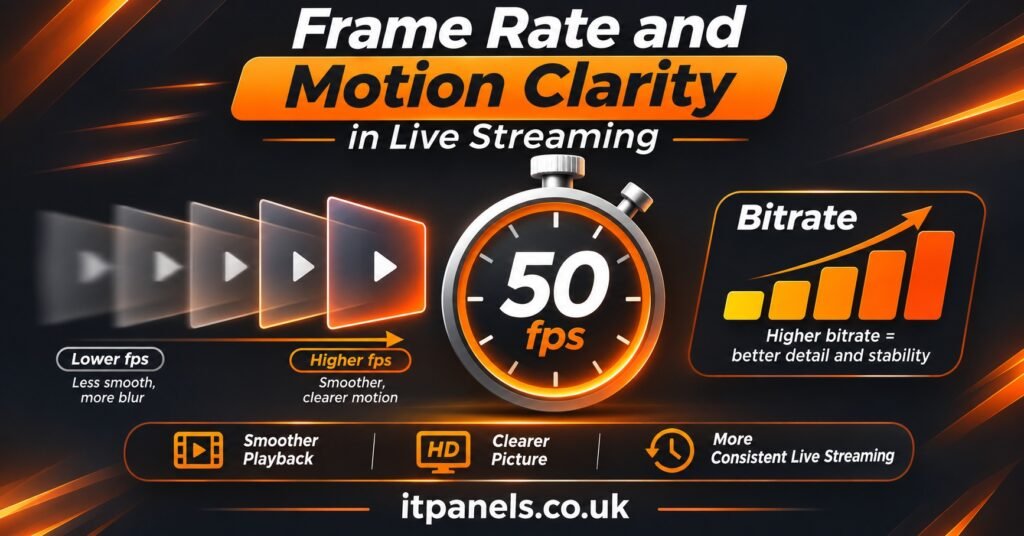
Resolution gets all the attention, yet it’s only one of four things that decide how a race looks on your screen. The others are frame rate, bitrate and codec, and for fast motorsport they often matter more than the pixel count.
Frame rate comes first. Live motorsport coverage in the UK is produced at 50 frames per second, and the sport’s own premium streaming tier delivers its 4K HDR coverage at that same 50fps. A stream converted down to 25fps, or awkwardly converted to 30fps, produces a subtle stutter on every pan that no amount of resolution can fix. A 1080p picture at 50fps will usually look better during a race than a 4K picture at 25fps.
Bitrate is the amount of data used to describe each second of video. For context, the official premium 4K stream runs in the mid-teens of megabits per second. An HD channel squeezed into a small fraction of that will look fine during the studio build-up and then turn to mush when the cars arrive. The codec matters too: H.265 (HEVC) generally holds more detail at a given bitrate than older H.264, provided your device can decode it smoothly.
When a picture disappoints, the symptom usually points to the cause:
| What you see on screen | Likely cause | What to ask the provider |
|---|---|---|
| Judder or ghosting on camera pans | Stream delivered at 25 or 30fps instead of 50fps | Is the motorsport channel carried at its native frame rate? |
| Blocky tarmac and grass during fast cuts | Bitrate too low for high-motion content | Which codec and bitrate does the HD channel use? |
| Picture turns soft just as the race starts | Adaptive streaming stepping down under load | Is there a backup stream or a fixed-quality option? |
| Commentary slowly drifts out of sync | Transcoding or player buffering issue | Has this been reported on long live events? |
A provider who can’t answer the second column’s questions in plain terms probably hasn’t thought about live sport very carefully.
Best IPTV Services for F1 Viewing in HD: Five Things That Separate Them
Most sales pages make identical promises, so the useful question is what actually differs between a service that copes with live motorsport and one that doesn’t.
Proper distribution rights. Racing coverage is sold territory by territory to licensed broadcasters and platforms. A legitimate IPTV service delivering that coverage should be able to explain where its content comes from. If it can’t, picture quality is the least of your worries, because the stream can vanish mid-season.
Native motion quality. As covered above, the service should carry the feed at 50fps with enough bitrate for fast action. Ask directly. Vague replies such as “full HD quality guaranteed” don’t answer the question.
Peak-time stability. The first few minutes of a race are among the heaviest moments for any streaming network. Services with well-provisioned servers and content delivery close to UK viewers handle this far better than those running on oversold capacity. You can’t see the infrastructure, but you can test its behaviour (more on that below).
An accurate programme guide and catch-up. Race weekends move around the globe, so sessions can fall at breakfast time or in the middle of the night. An EPG that shows correct UK times, plus catch-up where the rights allow it, makes a real difference to how usable the service is. If listings look wrong, our guide to fixing an IPTV EPG that isn’t working explains the usual culprits.
Weekend support. Problems with live sport happen on Saturday afternoons and Sunday lunchtimes. A support desk that replies on Monday morning is no help at all. Check the stated support hours before you buy, and judge how quickly your pre-sale questions are answered.
Pro tip: Send the provider one specific technical question before you subscribe, such as the frame rate of its HD sport channels. The speed and clarity of the reply tells you a lot about the support you’ll get later.
Run Your Trial Like a Race Weekend
A short trial is only useful if it overlaps with live sessions. Where a provider offers a 24-hour trial, time it to cover a qualifying session at least. Where it doesn’t, a single month is a sensible low-risk test before committing to a longer IPTV subscription in the UK.
Practice: set your baseline
Use the quieter sessions to check the basics. Open the stream information in your player (VLC, for example, shows codec details under Tools, then Codec Information, and many IPTV apps have a similar overlay). Note the resolution, frame rate and codec. Watch a few slow pans along the pit lane and see whether the motion looks fluid or slightly stepped.
Qualifying: test under load
Qualifying draws a large audience, which makes it a fair stress test. Watch from start to finish and note any buffering, quality drops or freezes. If your plan allows more than one connection, open the stream on a second device at the same time to confirm both run smoothly together.
Race start: the hardest ten minutes
The formation lap and opening laps are when demand peaks. If the picture holds steady here, it will usually hold for the rest of the race. Keep an eye on audio sync over the full distance, too, because slight drift often only becomes obvious after an hour or more.
Write your notes down as you go. Comparing two services from memory a week later is surprisingly unreliable.
Your Screen Decides Half the Result
Even an excellent stream can look poor on the wrong hardware. Older streaming sticks may struggle to decode high-bitrate H.265 smoothly, and some budget Android boxes drop frames under load without any obvious warning.
Device generation matters more than many buyers realise. The first-generation Apple TV 4K, for example, is limited to 30fps when playing 4K HDR, which is noticeably choppy for racing, while the later models handle 4K HDR at 50fps. Similar gaps exist across other device families, so check your hardware’s specification against the stream you’re paying for.
A few settings are worth checking before race day:
- Turn on frame rate matching if your device offers it (Apple TV calls it Match Content, and several Android players have an equivalent), so the screen refreshes at 50Hz for 50fps content.
- Use a wired Ethernet connection where possible. Wi-Fi congestion in a busy household is a common cause of mid-race stutter.
- Try your TV’s motion smoothing both on and off. Some viewers like it for sport, others find it artificial; it’s a matter of taste rather than a fix for a poor stream.
If you watch on an Amazon Fire TV Stick and the picture keeps pausing, our walkthrough on reducing IPTV buffering on Firestick covers cache, network and app settings that often help.
Rights First, Picture Second
IPTV is simply a way of delivering television over internet protocol. The technology is perfectly legal, and licensed broadcasters use it every day. What determines whether a particular service is lawful is whether it holds the rights to distribute the programming it carries, and in the UK, supplying or knowingly accessing unlicensed streams can breach copyright law.
That has a practical side as well as a legal one. Services without proper rights tend to disappear suddenly, take payment through untraceable methods and offer no meaningful consumer protection. A polished website or a professional reseller dashboard doesn’t prove a provider is licensed either.
Signs of a more trustworthy UK IPTV provider include clear company details, published terms of service, a written refund policy, honest descriptions of what the service carries and payment methods that give you buyer protection. Be wary of any service promising every premium sport from every territory for a few pounds a month. That combination rarely comes with the paperwork to back it up.
Household Buyers and Resellers Need Different Answers
For a household, the main extra question is how many screens need to run at once. If the race is on in the lounge while someone else watches on a tablet upstairs, a single-connection plan won’t cope, and exceeding the limit can cut both streams. Our explainer on IPTV connection limits sets out how these allowances normally work, so you can pick the right plan before race day rather than discovering the limit during it.
Resellers face a sharper version of the same problem. Customers who sign up mainly for motorsport judge the whole service by a handful of live moments, and they report faults while those moments are happening. If you run an IPTV reseller panel, a few points deserve attention before you market sport-focused packages:
- Confirm with your upstream provider what it is licensed to supply, in writing, because your customers will hold you responsible rather than them.
- Plan support cover for weekend afternoons, when live sport complaints arrive in clusters.
- Time trial lines so prospective customers can see a live session, not just a recorded programme.
- Make connection allowances clear at sale, since multi-room households are common among sport viewers.
The panel itself also shapes how quickly you can respond: creating lines, extending accounts and checking connection status all need to happen in seconds during a live event. If you’re weighing up options, our guide to choosing an IPTV reseller panel in the UK compares the features that matter for day-to-day operation.
Questions Viewers Often Ask
Is 4K worth paying extra for over HD?
It depends on your screen and connection. On a large 4K HDR television with a capable streaming device, the step up in detail and colour is noticeable. On a smaller screen or an older device, a well-encoded 1080p50 stream often looks just as satisfying and is less demanding on your broadband.
Why does the race look smooth on my TV but jerky on my phone?
Different apps and devices handle frame rate and decoding differently. One may play the native 50fps stream while another converts it, or a phone may receive a lower adaptive quality because of mobile signal. Check the stream information on each device to compare.
What broadband speed do I need for HD motorsport?
There isn’t a single correct figure, because it depends on the stream’s bitrate and what else your household is doing online. As a guide, aim for several times the stream’s bitrate as steady headroom, and use a wired connection for the main TV. Since even official 4K HDR coverage runs in the mid-teens of megabits per second, a typical HD stream needs less, but evening congestion can still cause trouble.
Can I watch sessions that take place overnight?
Only if your service offers catch-up or replays for that content, which depends on its distribution rights. Check this before subscribing if you follow races held in distant time zones.
Will a VPN improve the picture?
Usually not. A VPN adds an extra network hop, which can increase latency and occasionally reduce stability. Using one to get around territorial restrictions may also breach the service’s terms, so it isn’t a fix for poor quality.
Before the Lights Go Out
Choosing between the best IPTV services for F1 viewing in HD comes down to evidence rather than promises: a licensed source, a native 50fps feed with enough bitrate for fast action, a network that holds up at the race start and support that’s awake on a Sunday. No service can guarantee a flawless picture on every connection, and your own device and home network play a large part in the result. Start with a short plan timed around a qualifying session, write down what you see, and compare it against the IPTV subscription plans you’re considering before you commit to a longer term.
