

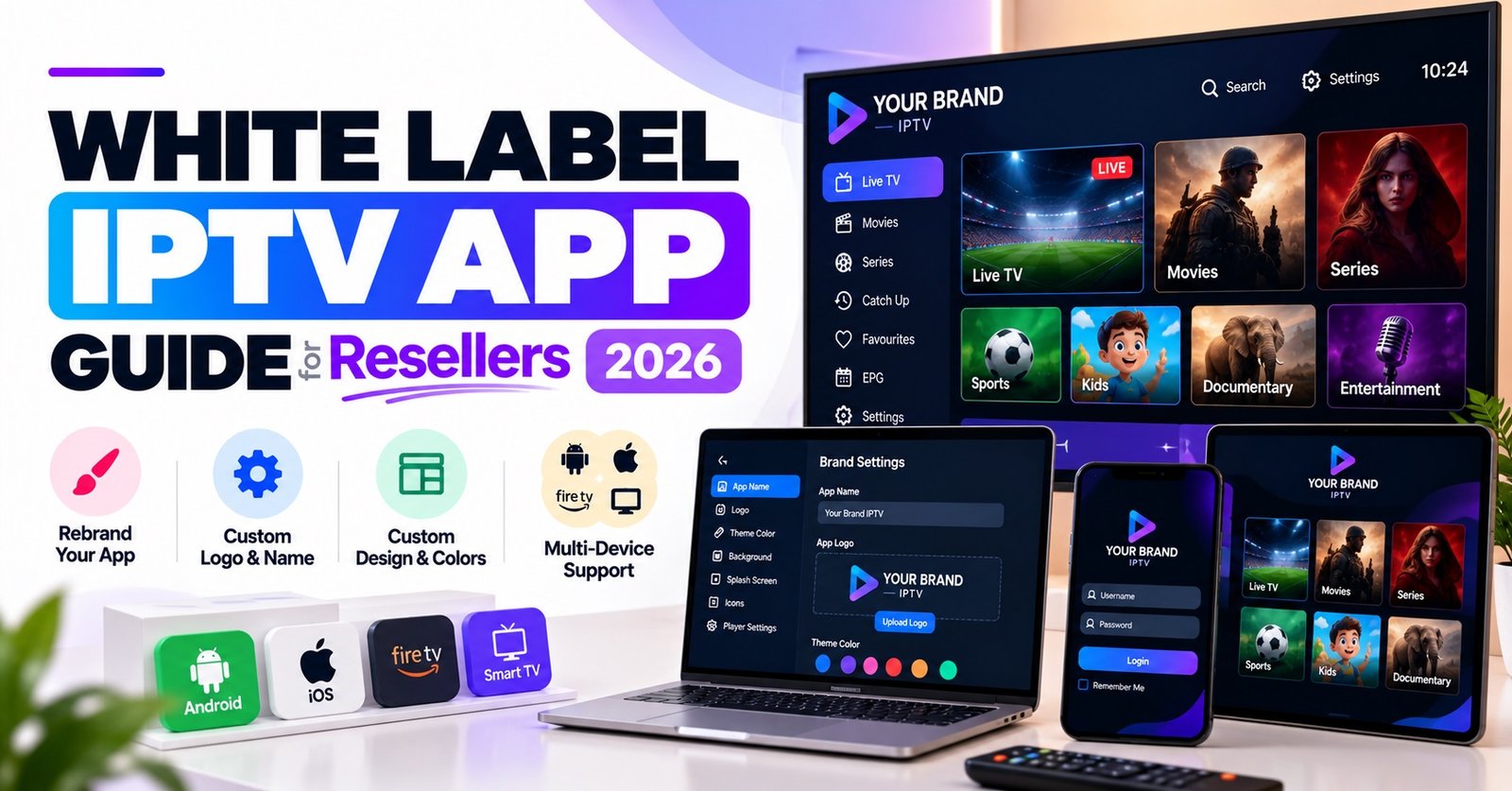
White Label IPTV Apps and What You Really Own in 2026

White Label IPTV Apps are player apps that a provider builds once and lets you rebrand with your own name, logo and colours, but the rebrand rarely hands you the source code, the store listing or control of the update schedule. What you are buying is usually a branded front end running on someone else’s codebase, so the value depends on how much of that arrangement is written down.
Before paying for one, find out three things: whose developer account publishes it, who ships fixes when a device update breaks playback, and whether you can leave with your branding and customers intact. A polished logo preview tells you nothing about any of those. The sections below go through each layer of a white label app so you can judge an offer from the terms rather than the screenshots.
Branded does not mean owned
Most disputes between IPTV panel resellers and app providers start from one assumption: that paying for a rebrand means paying for the app. In practice the word “white label” describes a service arrangement. The provider keeps the product and you rent a customised version of it. That is a perfectly sound business model, and plenty of resellers are better off with it than with a custom build, but it should be priced and judged as a rental.
Three things commonly get mistaken for ownership. The first is the app name on the customer’s screen, which is only a label. The second is the store listing, which may sit under the provider’s developer account and not yours. The third is the login flow, which often depends on the provider’s own authentication service, so the app only works while that service is running and your arrangement stays active.
None of this is a warning against white labelling. It is a reason to ask direct questions before you commit, because the answers decide how much leverage you have if the relationship goes wrong.
What a rebrand normally covers
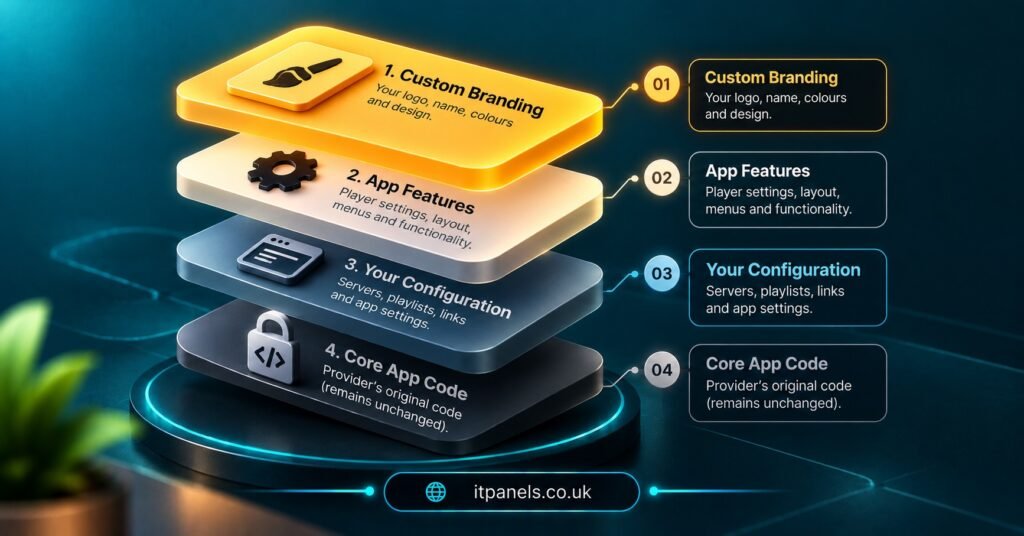
Rebranding is a surface job. It changes what the customer sees, and usually stops short of what the app does. The table below shows where the line typically falls, though every provider draws it a little differently and you should ask for their version in writing.
| Layer | Usually set by you | Usually stays with the provider |
|---|---|---|
| Name, icon and colours | Yes | Underlying template and layout |
| Welcome text and support contact | Often | Structure of the login screen |
| Store listing and description | Depends on the arrangement | Developer account if they publish it |
| Customer accounts | Created and managed in your panel | Servers and infrastructure behind the panel |
| Source code and build files | No | Yes |
| Release timing and bug fixes | No | Yes |
The row that most often surprises people is the last one. If a device manufacturer changes something and the app stops loading on a particular television, you cannot patch it yourself. You wait for the provider, and your customers experience that wait as your failure.
Where White Label IPTV Apps sit between a generic player and a custom build
There are really three routes. A generic third-party player is an app that customers install and then fill with details you supply. It carries somebody else’s name, which is cheap and quick but gives you no brand presence. A custom build is an app written for you, which gives you full control and also full responsibility for development, store compliance and fixes. White Label IPTV Apps sit in the middle, giving you a branded experience without the development burden, in return for accepting the provider’s roadmap.
Which route suits you depends mostly on scale and appetite for maintenance. A IPTV reseller with a modest customer base usually gets more from a white label app than from commissioning code, because the real running cost of a custom app is the ongoing fixing, not the first build. A larger operation with its own technical staff may reasonably want more control and accept the cost.
It is also worth being clear about what the app does not decide. IPTV is a delivery technology. Whether any particular content may lawfully be delivered depends on rights, permissions and local requirements, and a smart-looking branded app does nothing to change that. The app is the container, and you remain responsible for what you connect to it.
Who publishes it, and why the store account matters
If your app is available through a public store, somebody holds the developer account behind it, and that person controls the listing. If it is the provider, they can pull it, change it or transfer it, and your customers’ installs go with it. If it is you, you carry the compliance duties, but you also keep the listing if you change provider.
The mobile stores have rules aimed at templated apps. On the iOS side, the long-standing clause on commercial templates says that apps made from a template or app generation service can be rejected unless they are submitted directly by the provider of the app’s content. A shared-binary approach, where many clients sit inside one app, is treated as another acceptable route. These rules get revised, so check the current guidelines rather than relying on anyone’s summary, including this one. The point for you is that “we will list it for you” is a claim worth testing.
Pro tip: Ask the provider to state in writing which developer account will publish your app and what happens to the listing if you end the arrangement. A clear answer here is worth more than any feature list.
There is also the question of whether you need a store listing at all. Some resellers distribute through direct installation on devices that allow it, and some serve only set-top boxes and smart televisions that have their own app catalogues. Each route has different update behaviour, so decide your device mix first and ask the provider how the app reaches each type.
Updates are where white label apps quietly fail
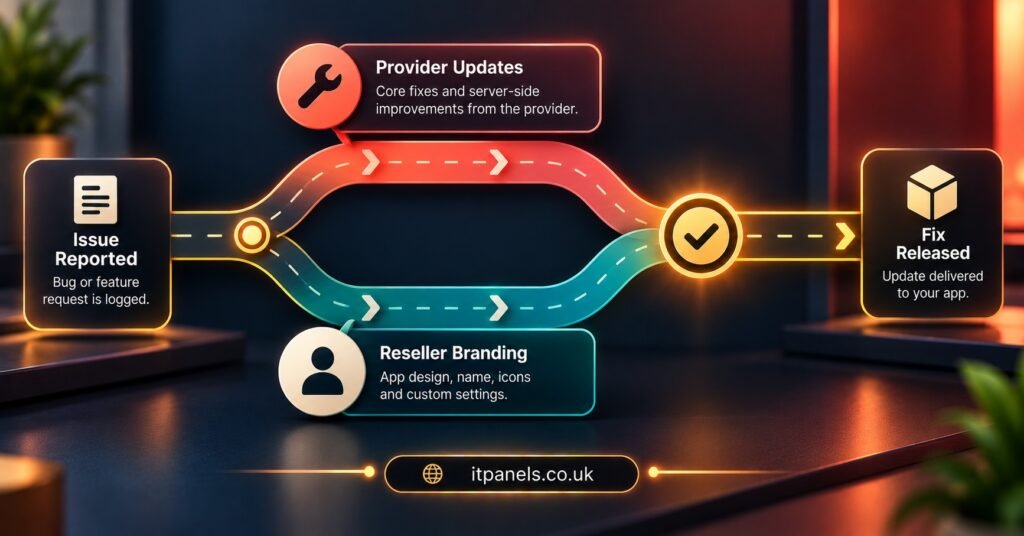
A white label app is only as good as its last update. Devices change, operating systems change, and playback behaviour that worked last spring may stall after a firmware release. When that happens, a reseller with a custom build can fix it directly. A reseller on a white label arrangement files a request and waits.
So the useful question is not whether updates exist, but how they reach you. Do they roll out to every branded app at once, or only when you request a new build? Does a new build mean a fresh store submission under your name? Are you told in advance about changes that alter the customer’s screens? A provider who cannot describe their release process clearly probably does not have a dependable one.
One more thing to watch is what happens to your branding after an update. It should persist without you having to resubmit assets each time. If a provider needs a new rebrand request for every version, you are paying repeatedly for something that should be a one-off.
Pro tip: Keep your own folder of brand files, store text and screenshots in the exact sizes the provider asked for. If you ever move, you can rebuild far faster than if you have to request everything back.
Who answers the customer when the app misbehaves
Your customers will contact you, not the provider, because your name is on the app. That makes the support split one of the most practical parts of any white label arrangement. Work out in advance which problems you can solve yourself and which need escalation.
Some faults are not the app’s at all. A second screen that stops playing is frequently a connection limit on the subscription line, and the app simply shows the result. Our guide to why connection limits cut off a second screen covers that pattern, and knowing it saves you from raising a ticket about an app bug that does not exist.
Other faults really are in the app, such as a crash on a specific device, a blank screen after login, or a theme that fails to load. For these you need an escalation path that names a person or channel, an expected response approach, and a way to supply device details quickly. Ask what information the provider needs from you to diagnose a problem. If they cannot say, expect long back-and-forth exchanges.
Access to the store account and panel is also a support issue, because more people with logins means more places for something to go wrong. Our notes on protecting your IPTV reseller panel are worth reading before you share any credentials with a designer or helper.
Reading the commercial side without being dazzled
App branding is sometimes included in a reseller package, sometimes offered on request, and sometimes sold separately. Where it appears in the pricing structure tells you something. If it only arrives on larger tiers, a small reseller may be better off starting with a generic player and rebranding once the customer base justifies it. You can see how one provider structures this on the IPTV reseller plans page, where app rebranding appears among the larger packs.
Look for three kinds of cost beyond the headline price. One is the setup fee for the first rebrand. Another is the charge, if any, for later changes such as a new colour scheme. The third is the cost of leaving, which can be hidden in terms about who owns the assets or whether the app keeps working after you stop paying. A cheap rebrand with an expensive exit is not cheap.
Questions resellers ask about white label apps
Can I publish a white label app under my own name?
Often yes, but it depends on the provider and on current store rules. Some providers publish under their own account, some under yours, and some offer both. Get the arrangement in writing before you pay.
Will my customers lose the app if I change provider?
If the listing sits under the provider’s account, quite possibly. If it sits under yours, you can usually move to a new backend, though the new provider has to support it. Ask this before signing, not after.
Do I need to supply my own logo and artwork?
Yes. Providers normally need an icon, a logo and brand colours, and store listings need screenshots and text. Prepare these in advance to avoid delays.
Does a branded app make my service legitimate?
No. A branded app is only the interface. Legitimacy depends on the rights attached to whatever content you deliver, and on following the laws that apply where you and your customers are.
How often should a white label app be updated?
There is no standard figure. What matters is that fixes arrive promptly when devices change and that you are told what will alter on customers’ screens.
Where this leaves you
White Label IPTV Apps are a sensible shortcut when you want your own brand in front of customers without taking on app development, provided you treat the arrangement as a rental and read the terms accordingly. Judge a provider on who publishes the listing, how updates reach you and what support looks like when something breaks, not on how good the preview image looks. Limits exist everywhere in this model, from release timing to code access, so the real question is whether you can live with them at your scale. Your next step is simple: put the questions above to two or three providers and compare how clearly each one answers.
Provider Evaluation Checklist
- Ask which developer account publishes the app and what happens to the listing if you leave
- Confirm in writing which parts of the branding you control and which stay fixed
- Find out how updates are released and how much notice you get of visible changes
- Check whether branding carries across updates without a new request
- Ask what device details the provider needs to diagnose a fault
- Get the setup fee, later change fees and exit terms stated separately
- Keep your own copy of logos, store text and screenshots in the required sizes
- Decide your device mix first, then ask how the app reaches each one
