

Setting IPTV Reseller Panel User Roles for Staff Safely 2026

IPTV Reseller Panel User Roles should be set so that each login can do only the work its holder actually performs. The owner keeps credit purchases, role editing and staff creation; support staff can view and fix customer lines without spending credits; sales staff can create and renew lines from a limited balance; and sub-resellers work only from credits you allocate to them. Start by listing tasks rather than people, then build the smallest role that covers each task.
The awkward part is that panels rarely label their controls the way a business thinks about risk. A permission called something like “edit line” may quietly include extending the expiry date, which spends credits, or raising the connection count, which changes what the customer is entitled to. So the reliable method is to configure a role, sign in as that role, and deliberately try the things it should not be able to do. Owners about to hire their first helper, and resellers preparing to onboard a sub-reseller, gain the most from getting this right before access is handed over rather than after something goes missing.
[ez-toc]
Start With Tasks, Not Job Titles
Job titles are a poor basis for permissions because the same title means different things in different businesses. One reseller’s “support person” only answers setup questions; another’s also handles renewals and takes payment. If you build roles around titles, you end up granting whatever the busiest version of that person might need.
A task inventory avoids this. Write down every action a person can take in your reseller dashboard, then sort each one by its consequence if misused:
- Spends money: buying credits, transferring credits to sub-resellers, creating paid lines, extending expiry, adding connections.
- Exposes customer data: viewing usernames and passwords, revealing playlist links, exporting customer lists, reading notes that contain contact details.
- Changes who has access: creating sub-resellers or staff, editing roles, generating API keys, changing the owner’s login details.
- Routine and reversible: viewing line status, resetting a device lock, creating a short trial, disabling a line pending payment.
The first three categories are where damage happens. The fourth is where most daily support work sits, and it can usually be shared widely.
A solo reseller who never lets anyone else touch the panel does not need a role structure yet. The moment a partner, family member or freelancer needs to “just check something”, though, they need their own login. Sharing the owner account is the single decision that makes every later control meaningless, because the activity log can no longer tell you who did what.
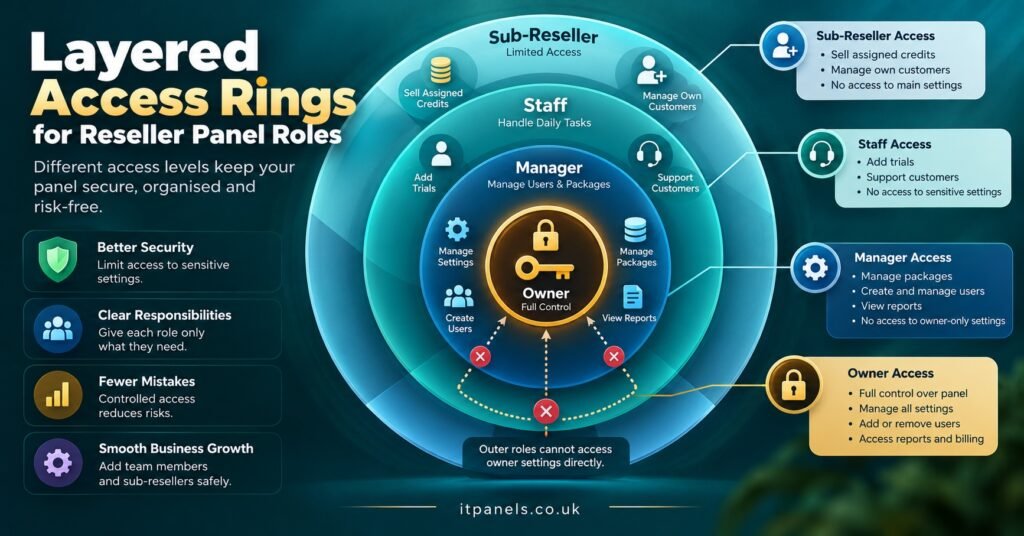
The IPTV Reseller Panel User Roles Matrix
The table below is a starting point, not a universal standard. Panels vary considerably in what they let you separate, so treat each row as a question to ask of your own dashboard: can this action be restricted on its own, or is it bundled with something else?
| Action in the panel | Roles that should have it | Condition worth adding |
|---|---|---|
| Buy or top up credits | Owner only | Linked to the owner’s own payment method |
| Transfer credits to sub-resellers | Owner, manager | Per-transfer cap agreed in advance |
| Create sub-reseller or staff accounts | Owner only | No one creates an account above their own level |
| Edit roles and permissions | Owner only | Nobody can raise their own access |
| Create new paid customer lines | Sales, manager | Drawn from an allocated balance, not the master pool |
| Extend expiry or add connections | Sales, manager | Reconciled weekly against payments received |
| Create trial lines | Sales, support | Daily limit where the panel supports one |
| View lines and their status | Support, sales, manager | Limited to their own customers where possible |
| Reveal passwords or playlist links | Support | Prefer a reset over revealing the existing value |
| Reset device lock or MAC binding | Support, manager | Logged with the ticket reference in notes |
| Disable a line | Support, manager | Re-enabling may need manager approval |
| Delete a line or sub-reseller | Owner, manager | Disable first, delete only after a holding period |
| Export the customer list | Owner only | Personal data, so keep exports rare and deliberate |
| Create or view API keys | Owner only | Rotate whenever a staff member leaves |
| View activity and credit logs | Owner, manager, read-only | Read-only role for an accountant or business partner |
Two roles in that matrix are easy to overlook. A read-only role is useful for anyone who needs to check figures without being able to change them, such as an accountant or a co-director reviewing the month. A manager role lets the owner stop using the owner login for daily work, which matters more than it sounds: the most powerful account should be the least used.
When the panel bundles permissions together
Many IPTV reseller panels offer fewer toggles than the matrix assumes. If “manage lines” covers creating, extending and deleting in one switch, you cannot split those actions inside a single role. In that case, assign the bundled permission to the stricter group only (manager rather than support) and handle the gap with process: support staff log a request, and a manager carries out the credit-spending part.
Where a panel offers almost no staff roles at all, some resellers give a salesperson their own sub-reseller account instead, purely to ring-fence a credit balance. It works, but customers created there sit under that account. If the person leaves, those lines may need to be moved, and not every panel makes moving lines between accounts straightforward. Check that before you rely on it. The structural differences between the two levels are covered in more depth in our guide to how resellers and sub-resellers differ.
A Worked Setup: Four Logins and One Sub-Reseller
Take a hypothetical UK reseller business with an owner, a part-time operations manager, an evening support agent, a salesperson handling new sign-ups, and one sub-reseller in another city. Here is a sensible order for building their roles.
Read-only first. Creating the most limited role first gives you a baseline. Once it exists, every other role is “read-only plus specific additions”, which keeps you thinking about what to add rather than what to remove.
Support second. The evening agent receives read-only access plus device-lock resets, trial creation, line disabling and the ability to reset (not reveal) a customer password. They receive nothing that spends credits. If a customer asks to renew at 10pm, the agent records the request and the manager processes it next morning, or the business accepts that renewals wait.
Sales third. The salesperson receives line creation and renewal, but from a fixed allocation. If the panel supports per-user balances, the owner tops this up weekly. A small, regularly refreshed balance limits the cost of any mistake to a week’s worth of credits at most.
Manager fourth. The manager gets everything except buying credits, editing roles, exporting customer data and handling API keys. This is also the login the owner uses for routine work.
Sub-reseller last. A sub-reseller is a different kind of account rather than a staff role. They own their customers, spend their own allocated balance, and on many panels can create users of their own. Two decisions need making before you create the account: how many credits they start with, and whether they may create further sub-resellers beneath them. Allowing unlimited depth makes it very difficult to see later where credits went, so most owners are better off disabling it at the start and enabling it only if a genuine need appears.
When the build is finished, the owner login is used for three things: buying credits, changing roles and reviewing logs. Everything else happens elsewhere.
Testing Each Role Before Anyone Uses It
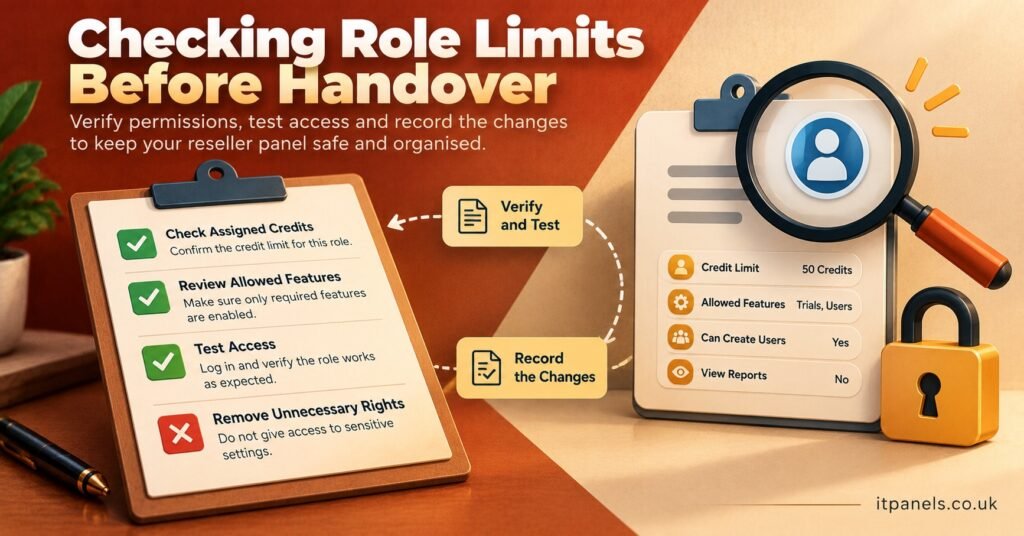
A role is only as good as what the panel actually enforces. Before giving anyone their credentials, run each role through a short test using a trial line, so nothing costs credits.
- Open a private browser window so no owner session carries over, and sign in as the role being tested.
- Try each action the role should not have: buying credits, editing its own permissions, viewing another user’s customers, exporting the customer list, opening API settings.
- Try the bundled actions. Open a line the role is allowed to edit and check whether the expiry, connection count or package can be changed.
- Copy the address of a restricted page from the owner session and paste it into the test session. A hidden menu item is not the same as a blocked page.
- Return to the owner login and check the activity log. Each attempt should appear under the test user’s name, not under the owner or a generic system entry.
- Write down the result for each role, with the date and panel version if it is shown.
Pro tip: Repeat step 4 after every panel update. Provider updates sometimes add new pages or rename existing ones, and a new page may not inherit the restrictions you set on the old one.
If any test fails, do not hand over the login and hope for the best. Either tighten the role, move the permission to a higher role, or raise it with your panel provider, who may be able to confirm how that permission behaves.
Mistakes and Edge Cases That Quietly Undo Good Roles
Editing a shared role template. On panels where several users share one role, adding a permission for one person grants it to everyone in that group. If one support agent needs temporary extra access, create a separate role for them and set a reminder to remove it.
Temporary elevation that never ends. Someone covers for a colleague during a busy week and receives manager access. Three months later they still have it. Every change of access should carry an end date, even if that date is only in your own notes.
Deleting leavers instead of disabling them. Deleting a staff account can make their past actions harder to attribute in the logs, depending on how the panel records history. Disable the account, change any shared secrets they knew, rotate API keys, and only delete once you are confident you will not need their records. A well-kept IPTV panel reseller activity log is what makes this safe.
Trusting the menu. As the tests above show, removing a button does not always remove the permission. Treat the interface as a convenience, not a control.
Reveal permissions granted for speed. Letting support staff view existing passwords and playlist links is quicker than resetting them, but it means anyone in that role can collect working credentials for every customer they can see. Resetting is slightly slower and considerably safer.
Credits spent with no matching payment. Sales and manager roles that can extend lines should be reconciled against payments received. Comparing your reseller credit log with your payment records each week is the simplest way to spot an extension nobody paid for.
Assuming roles answer legal questions. Role configuration controls who can act inside your panel. It does not establish whether the service being sold is properly licensed. IPTV is a delivery technology, and legitimate operation depends on the provider holding the appropriate distribution rights.
Role Configuration Checklist
- Every person who touches the panel has their own login, including partners and family members.
- The owner login is reserved for buying credits, editing roles and reviewing logs.
- A read-only role exists and is used as the base for every other role.
- No role other than the owner can buy credits, edit roles, export customers or manage API keys.
- Support roles can reset credentials but cannot spend credits.
- Sales roles draw from a capped, regularly refreshed balance.
- Sub-reseller depth is restricted unless there is a specific reason to allow it.
- Every role has been tested in a private window, including direct-address access to restricted pages.
- Test results are recorded with a date, and repeated after panel updates.
- Temporary access changes have an end date written down.
- Leavers are disabled first, keys rotated, and deletion delayed.
Once the roles are built and tested, the next step is to put them on a schedule. A brief quarterly review, covering who has which role, whether anyone has more than their current work requires, and whether logs and credit records still agree, catches most drift before it turns into a loss. Our reseller panel audit guide sets out a fuller review if you want to go further.
Questions Resellers Ask About Panel Roles
Can a sub-reseller see the customers I created myself?
On a properly designed panel, no. A sub-reseller should see only the lines created under their own account and any accounts beneath them. Confirm this by signing in as a test sub-reseller and searching for one of your own customers by username.
Should support staff be able to renew a subscription?
Only if renewal can be limited to a small allocated balance and is reconciled against payments. Otherwise it is safer for support to log the request and for a sales or manager role to carry it out.
My panel only has reseller and sub-reseller levels. What can I do?
Use process to fill the gap. Keep the main account for yourself, give helpers sub-reseller accounts with modest balances where that suits the work, and check the logs weekly. If staff access becomes essential, ask your provider whether finer roles are available on a different panel tier.
What happens to customers when I remove a staff login?
Staff who work inside your account normally leave your customers where they are. Customers created under a separate sub-reseller account are different, because they belong to that account. Check how your panel handles moving lines before you remove any sub-reseller.
How often should roles be reviewed?
Quarterly suits most small operations, with an immediate review whenever someone joins, leaves or changes duties, and a quick retest after each panel update.
Getting IPTV Reseller Panel User Roles Right From Day One
IPTV Reseller Panel User Roles work when they follow what people actually do rather than what their titles suggest: the owner controls money and access, support fixes problems without spending, sales spends within a limit, and sub-resellers run their own customers from their own balance. The matrix gives you a starting shape, but your own panel decides what can really be separated, so testing each role in a private window is the step that turns a plan into a control. If you are about to give someone their first login, build the read-only role tonight and test it before anything else.
