

IPTV EPG Not Working? 7 Causes and How to Fix Them in 2026

IPTV EPG Not Working is usually down to one of a handful of causes: a mismatched channel ID, an outdated guide source, a caching fault in the player app, or a genuine outage on the UK IPTV Reseller panel provider’s end. Most of these can be checked in under five minutes without touching your subscription or panel settings, and a few point to something you can only wait out.
What the EPG Actually Depends On
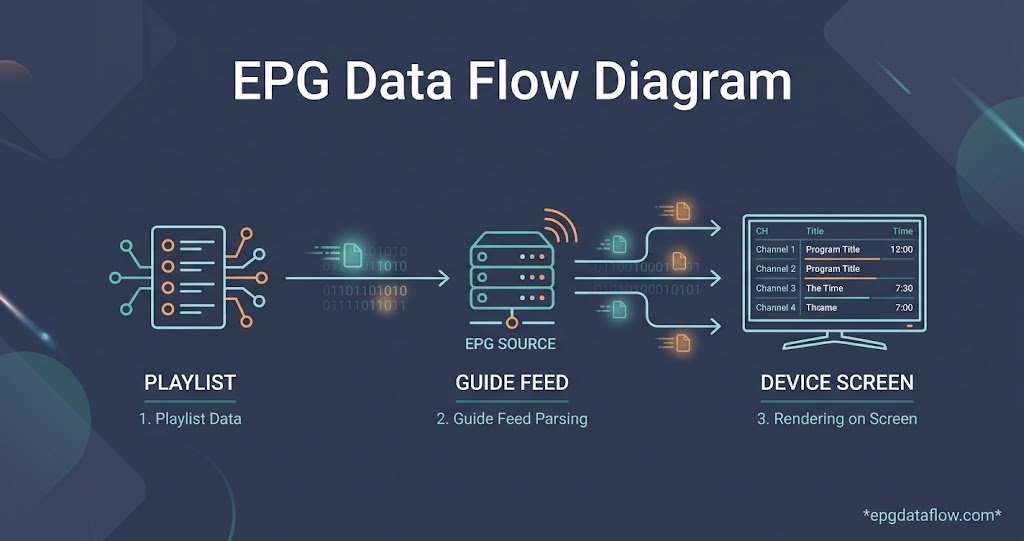
The programme guide you see in your IPTV app isn’t part of the video stream itself. It’s a separate feed, usually in XMLTV format, that gets matched to your channel list by an ID or a name. When that matching breaks, or when the feed stops updating, the guide either goes blank, freezes on old data, or shows listings that don’t correspond to what’s actually playing. Understanding this split matters because it tells you where to look first: the playlist side, the guide feed side, or the app doing the matching.
IPTV EPG Not Working: The Seven Most Common Causes
- Channel ID mismatch. The playlist labels a channel with one identifier while the guide feed uses another, so the app can’t line them up.
- Guide source not refreshing. The app cached an old XMLTV file and hasn’t pulled a fresh one, even though the source itself is fine.
- Time zone offset. The listings load correctly but appear shifted by an hour or more because the app or device clock disagrees with the guide’s time stamps.
- Outdated app version. Older builds of some IPTV player apps handle large XMLTV files poorly or stop parsing them correctly after an update on the guide provider’s end.
- Server load or outage. The EPG source itself is temporarily down or overloaded, which is common during peak evening hours or after a provider-side change.
- Corrupted or incomplete download. A weak connection interrupts the guide file mid download, leaving the app with partial data it can’t read properly.
- Provider stopped supplying an EPG for that channel. Not every channel on every list comes with matching guide data, particularly smaller or regional ones.
How to Fix an EPG With No Listings or the Wrong Ones
Work through these roughly in order, since the earlier checks are quicker and rule out the most common problems first.
Restart the app fully rather than just backgrounding it, since many players only refresh the guide on a cold start. If that doesn’t help, force-clear the app’s cache from your device settings. This wipes the old XMLTV data and makes the app request a fresh copy, which resolves a surprising number of “guide frozen on yesterday” complaints.
Check the device clock and time zone next. If the picture plays fine but every programme listing looks an hour or two out, this is very often the culprit rather than anything wrong with the feed itself.
Confirm you’re on a current build of your player app. Some apps changed how they parse large XMLTV files in recent updates, and an old version can silently fail on a feed that a newer version reads without issue.
If specific channels have no guide at all while others are fine, that’s typically a mismatch or a gap in the source data for that channel, not a fault with your connection or device.
| Cause | Likely reason | Quick check |
|---|---|---|
| Blank guide on all channels | Cache stuck or feed unreachable | Clear app cache, check connection |
| Listings shifted by an hour | Device or app time zone setting | Compare device clock to actual time |
| Guide missing on one channel only | No EPG mapped for that channel | Test a different channel on the same list |
| Guide loads then disappears | Partial download or app crash | Restart app, retry on stable Wi-Fi |
Pro tip: If the fault only shows up on one device, test the same subscription on a second app or device before assuming the whole service is broken. It narrows the problem to either the app or the account within a minute.
Player-Specific Quirks Worth Checking
Different IPTV player apps handle EPG refresh differently. Some pull guide data automatically every few hours, others only refresh when you manually trigger it from a settings menu, and a few need the playlist re-added entirely before they’ll pick up a corrected guide mapping. If you’ve recently changed player apps, check whether it has its own EPG refresh interval buried in settings rather than assuming it behaves the same as your previous one.
Pro tip: Note the exact time the guide stopped updating before contacting support. A precise timestamp lets whoever is checking the server logs find the fault far faster than “it’s been broken for a while.”
When It Isn’t Something You Can Fix Yourself
If you’ve cleared the cache, confirmed the time zone, updated the app, and the guide is still blank or frozen across every device, the fault most likely sits with the EPG source itself rather than your setup. This happens during provider-side maintenance, when a guide feed supplier changes its structure without warning, or when server load spikes during major broadcast periods. In these cases the video stream itself may still work perfectly while only the guide data lags behind or drops out, which is a useful thing to mention to support since it rules out a connection problem straight away.
For Resellers Fielding EPG Complaints
If you run a IPTV reseller panel, EPG complaints are one of the most common support tickets you’ll see, and most of them turn out to be client-side cache issues rather than anything wrong with the panel or the feed. Asking a customer to confirm their app version and try a cache clear before escalating saves a lot of back and forth, and it’s worth having that as a standard first response rather than assuming every EPG complaint needs a server-side check.
Pro tip: Keep a short, standard troubleshooting message ready for EPG tickets. Customers tend to be more patient with a clear two-step check than with a vague “we’re looking into it.”
Anyone still deciding on a provider or panel can usually see how stable a guide feed is by testing it directly. Trying a demo panel before committing to credits gives a realistic sense of how the EPG behaves day to day, rather than relying on a sales page description of it.
Frequently Asked Questions
Why does my IPTV guide show the wrong programme times?
This is almost always a time zone mismatch between the device clock and the guide feed, not a fault with the listings themselves. Check the device’s time zone setting before anything else.
Will reinstalling the app fix a broken EPG?
Sometimes, but clearing the existing app’s cache first is quicker and achieves the same result in most cases. Reinstalling is worth trying only if a cache clear doesn’t help.
Why does the EPG work on some channels but not others?
Individual channels can be missing from the guide feed even when the rest of the list is fully mapped. This is a data gap for that specific channel rather than a wider fault.
How long should I wait before assuming it’s a server issue?
If the guide has been blank or frozen for more than a few hours across multiple devices and a cache clear hasn’t changed anything, it’s reasonable to treat it as a feed or server problem and check with support.
Does a slow connection affect the EPG separately from the video stream?
Yes. A weak connection can interrupt the guide file download while the video stream continues to play normally, since the two are pulled and handled separately by most player apps.
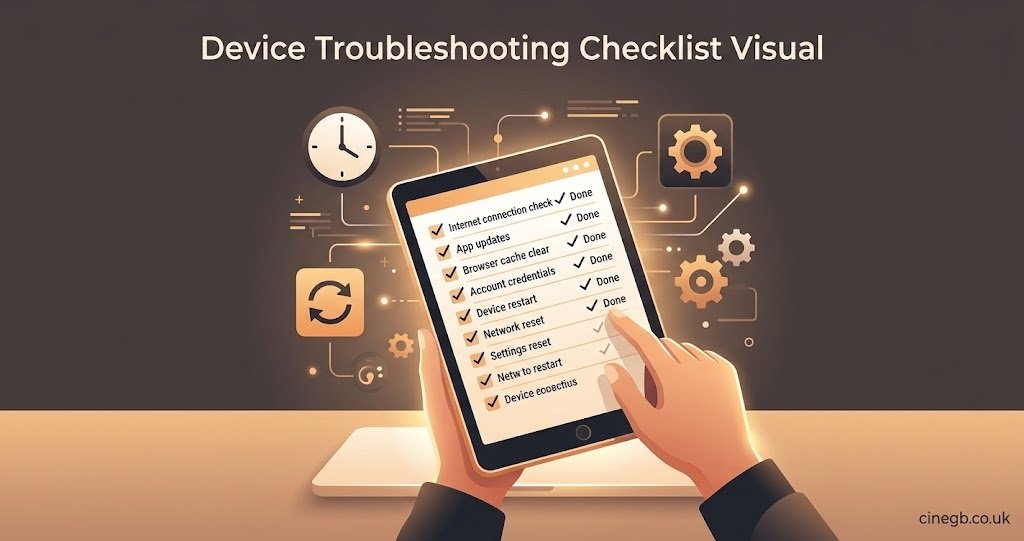
Quick EPG Troubleshooting Checklist
- Restart the app with a full close, not just backgrounding it
- Clear the app’s cache to force a fresh guide download
- Check the device’s time zone matches your actual location
- Confirm the app is on its latest available version
- Test the same subscription on a second device or app
- Note the exact time the fault started before contacting support
- Try a different channel to see if the gap is feed-wide or channel-specific
IPTV EPG Not Working almost always traces back to one of the seven causes above, and clearing the app cache alone resolves a large share of cases without needing to contact support at all. If the guide is still blank or wrong after checking the time zone, app version, and cache, treat it as a feed-side issue and pass on the exact time it started when you do reach out, since that detail speeds up any real fix on the IPTV Panel provider’s end.

[…] what’s actually included in different plans before committing, which is covered on the UK IPTV subscription plans […]